How An Inverted Photo May Help Design Bonsai
If you like drawing, you may have tried to draw a family member from a photo, and then you may know how hard it is to find a likeness. You finish it, and the nose, eyes, and eyebrows are all in their proper places, but Aunt Jane it is not.
We all have a basic idea of what a face looks like. They don’t have fingers or legs hanging off them, or pizza, usually. A face has ears. A nose. And eyes and maybe surrounded by hair. And we know what all that looks like, so we draw what we know rather than what our eyes tell us.
But then, curiously, if you were to take a photo of Aunt Jane, and flip it over, and then try to copy it, it will likely look a lot more like Jane.
Why?
Well, we’ve broken what we know a face looks like—the pre-conceived symbols of a face—and are instead drawing the relationships between the elements. So our rendering becomes much more accurate. When we turn it over, we may well have Jane.
You may know how taking a photo of a bonsai can be a great study aid to seeing what is wrong with the design. But we can also do an Aunt Jane flip.
A flipped photo can more clearly highlight a tuft of foliage coming off the crown that we hadn’t seen.
Or, we see the key branch is much too long, sticking out like sore thumb.
Or, the branches on one side don’t balance the ones on the left.
Flipping a bonsai photo can help find these details of balance because we’re not “seeing” the bonsai as a bonsai any more. We’re just looking at details.

Here’s the juniper from last week’s post. We repotted it at this new inclination to give it a jaunty leaning-tree look. And in so doing we mucked up the balance.
Balance can be hard to see. I know I repeat this point often here, but this is an asymmetrical art form—it’s not a totem pole, with bisymmetrical faces and animal heads. Bonsai has another layer of difficulty built into it, asymmetry. Which makes balance—the distribution of visual weight—really tricky.
Let’s say the balance of this juniper is eluding us.
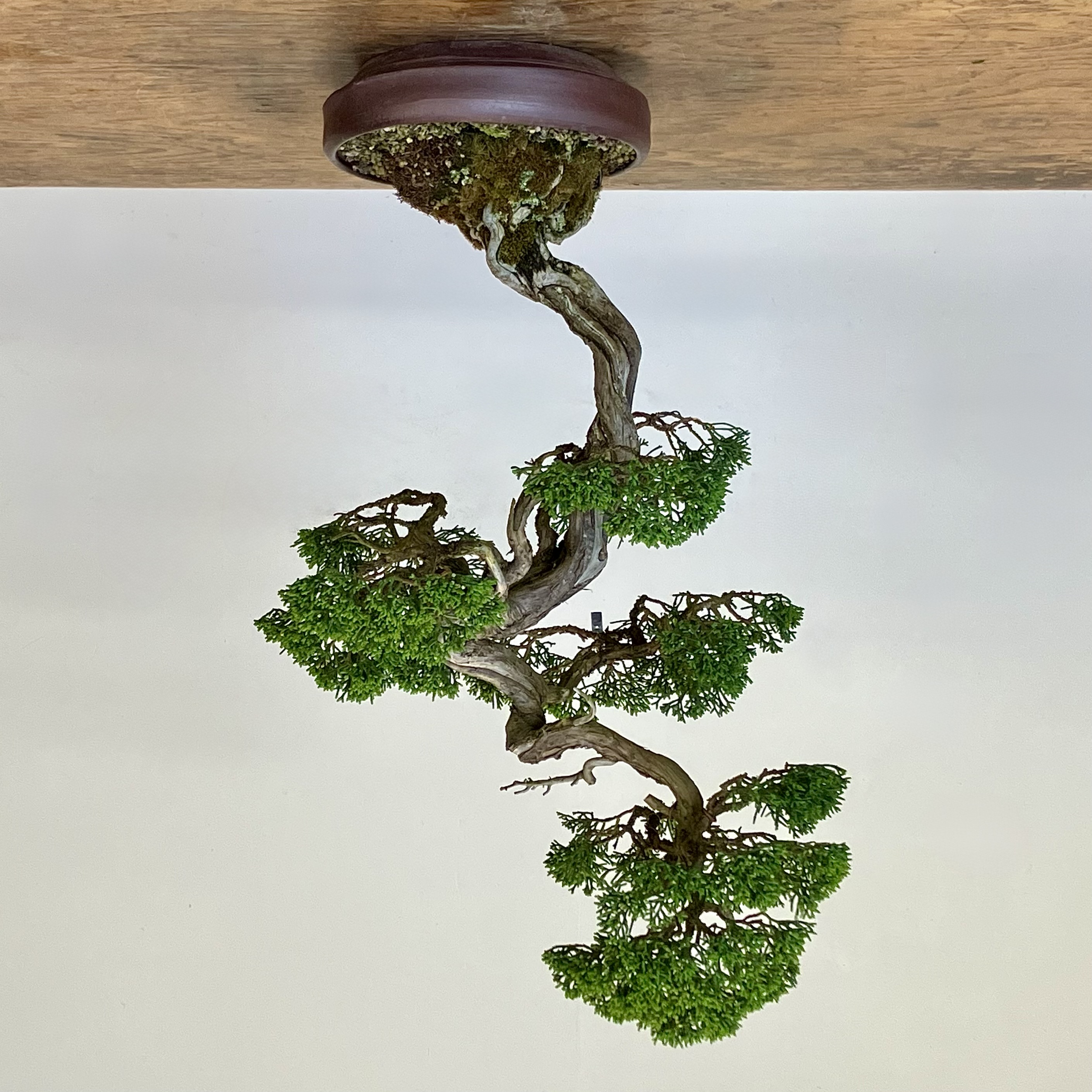
So let’s Aunt Jane it. Same image, inverted. It no longer looks like a bonsai. Maybe the first photo didn’t either, but now, perhaps, we can see where the problem is.

We have a “hole” where the red circle is. Something looks funny there—we don’t have to name it, we just need to see it.
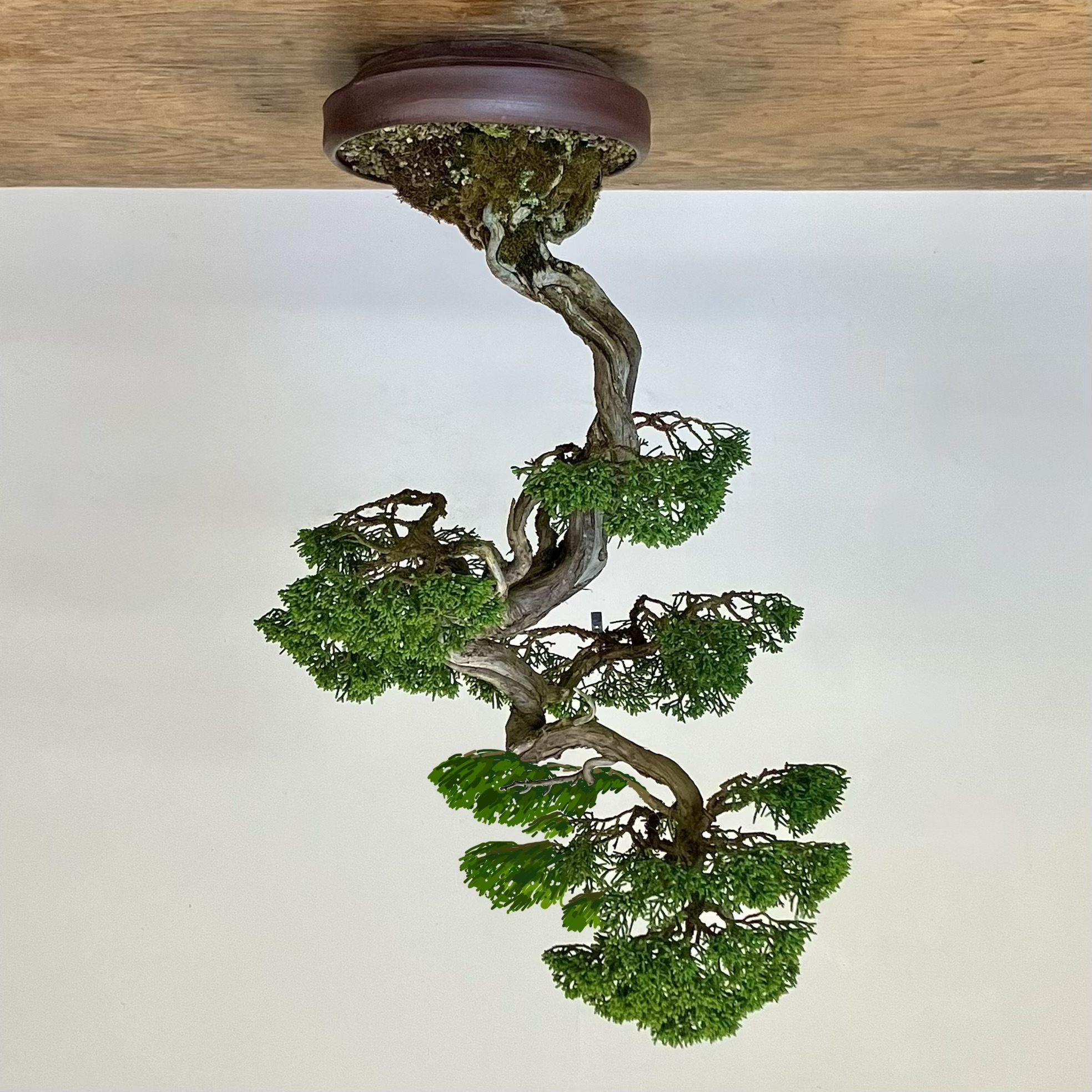
Taking a pixel pen (or fertilizer), we can make some foliage there.
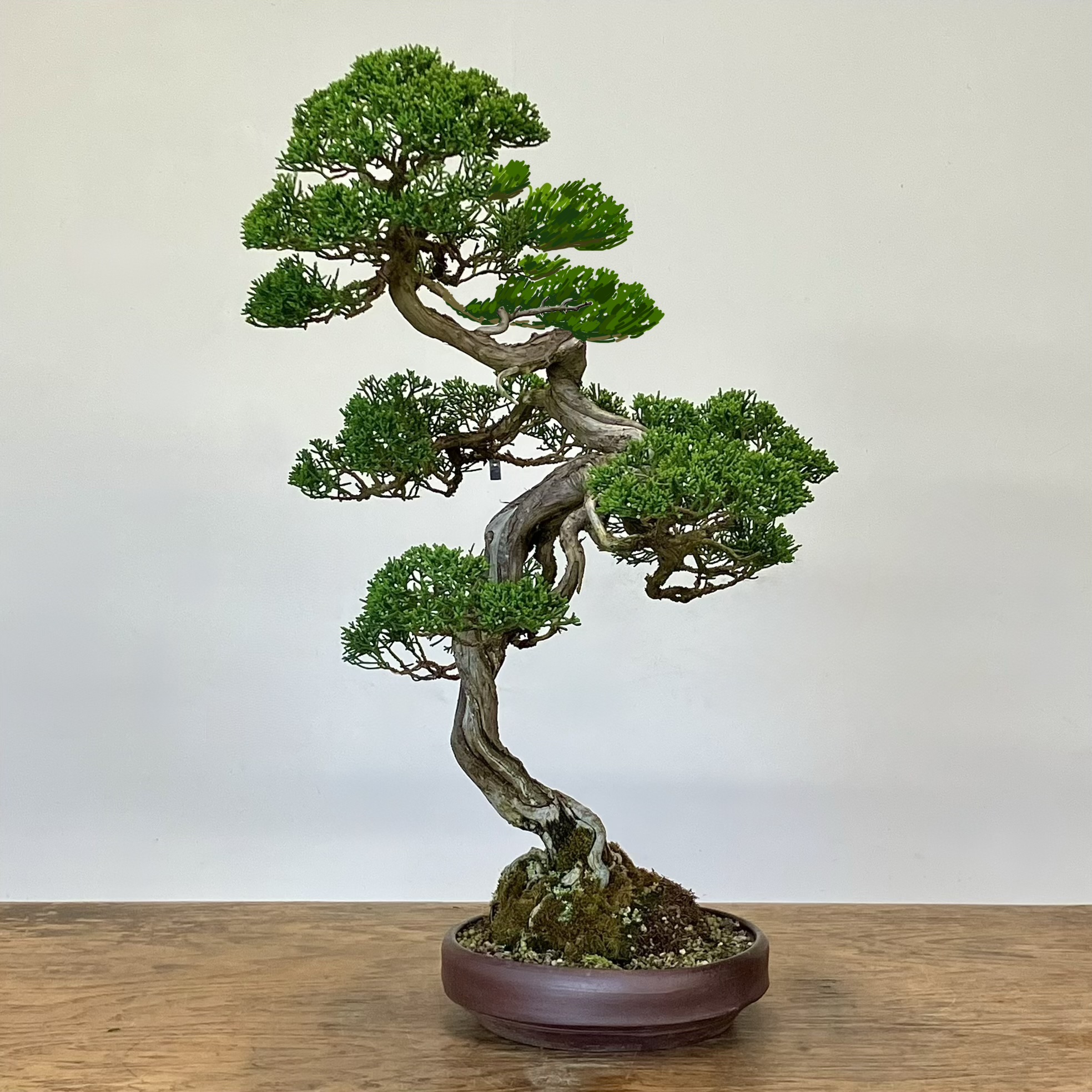
Now when the tree is inverted it’s still a leaning tree, but there’s some counterbalance on that right side.
Of course you might have preferred the dangerously exciting lean of that first image.
But, it’s an example of how one might use an inverted photo, a template from which you can plan an improved design.
Two things of encouragement:
- Flipping a photo can train you, so you can then see an unbalanced tree when its right in front of you
- It’s easy to flip an image on a smartphone
- And a camera-less tip: tipping your head to the side while working on a tree can give a “snapshot.” It’s a lot like flipping a photo in that it “breaks” what we think we know
1 Comment
Very cool!
Reminds me of Betty Edwards’s Drawing on the Right Side of the Brain. Page 30 seems to start where she starts to turn things upside down:
https://archive.org/details/drawing-on-the-right-side-of-the-brain/page/58/mode/1up